Chirp Chirp Chirping My Desktop
📆 20 Mar 2026 22:00 UTC +00:00
📕
481
words ⏳ 4 min.
Over the last couple of weeks, I have been playing around with my Arch laptop. I went back around all my old favourite desktops and window managers; KDE, Gnome, COSMIC, i3, Niri, dwm, bspwm. And I also tried something new to me, Budgie. I’ve seen about Budgie before and have tried to get onto it previously, but I never did have much success in those days.
So, this time, I made sure to perservere. I installed Budgie 10.10.1 around two weeks ago and I eventually moved back to a tiler because my trackpad buttons, were not the correct way around and the settings option to set this didn’t appear to be doing anything.
I then saw a live stream by Joshua Strobl (the leader of Buddies of Budgie) where he was doing some last minute commits and releasing Budgie 10.10.2. I decided to give this version a shot, see if it fixed my problem and…
It did
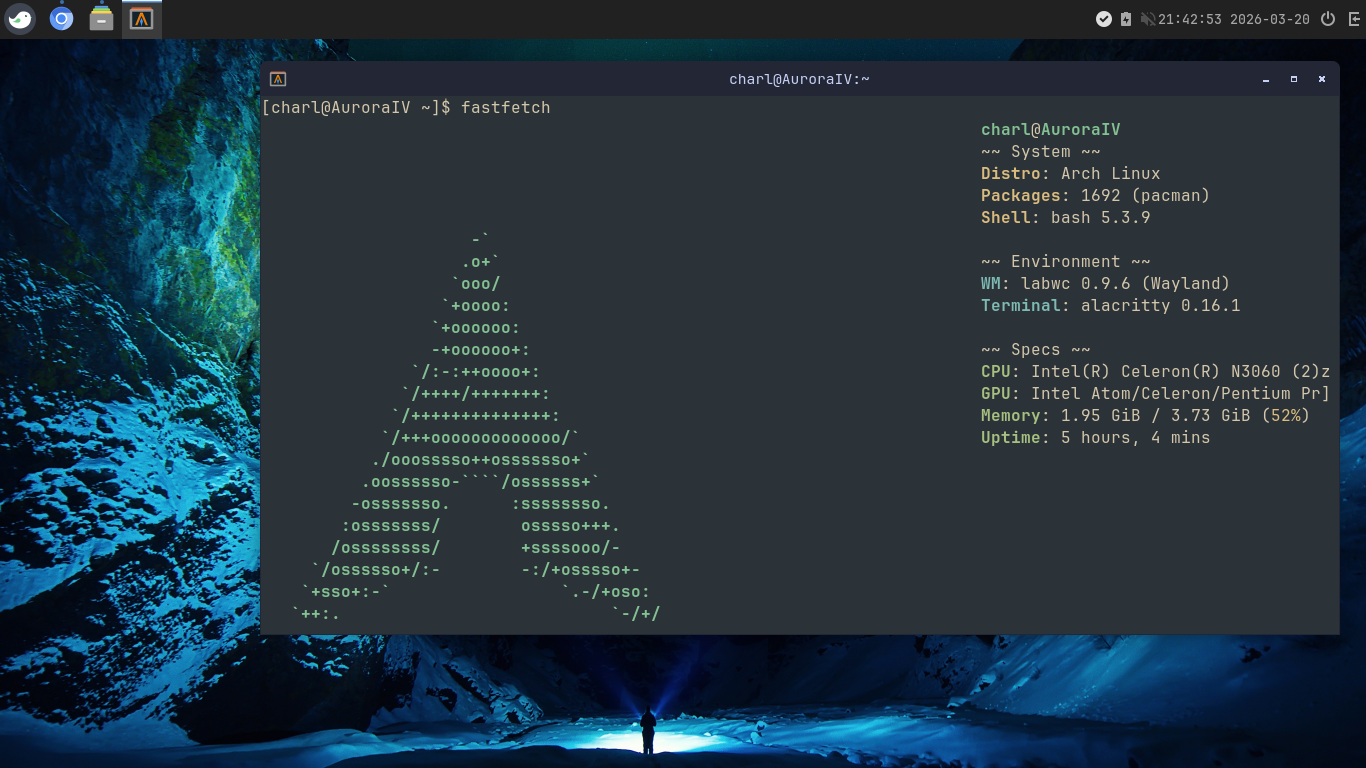
As mentioned in the release announcement, the bridge with LabWC didn’t have the trackpad button configuration set, now it does. With that problem solved, I then got myself started with a couple of customisations of the desktop; namely the panel. I have set the date/time format to be %H:%M:%S %Y-%m-%d. I have added the power menu shortcut to the right of the clock and I have set the Budgie logo to be the menu icon. I also moved the panel from the bottom to the top, as something just makes it easier for me to work with all the information I need being at the top of the screen.
Other things, as always is set the system fonts to be JetBrainsMono Nerd Font Regular for all types. I do this, because I prefer looking at monospaced fonts and I love JetBrainsMono.
And of course the wallpaper, which is northern lights by Jonaton Pie on Unsplash, a beautiful photo. At some point, I plan to make my own wallpapers but for now I find ones online that I enjoy looking at and find cozy and cool.
I have been using Budgie now for a couple of days and I’m really enjoying my time using it. It runs surprisingly well on my potato laptop.
Specs
CPU: Intel(R) Celeron(R) N3060 (2) @ 2.48 GHz
GPU: Intel Atom/Celeron/Pentium Processor x5-E8000/J3xxx/N3xxx
Memory: 4GiB
In fact I was actually using Budgie when I was working on the latest commits for Apollo and making the release, it was really easy to work within.
I can see myself playing with this some more and sticking around with it. (I know, I say this alot, but there’s something really quite cool about Budgie).
Anyway, that’s it for this blost, I’ll catch you in the next one. BYEEE!!!
Comments
If you have something to say, leave a comment, or contact me ✉️ instead
← Apollo v1.0 - The Launch